Answers with business context
Define services, products, opening hours, rules and tone. Adjust instructions and try replies in the simulator.
An AI prepared with your business information welcomes WhatsApp enquiries, organizes contacts and brings in your team when a person should take over.
No card to create an account. No automatic subscription charge.
Enter your business name and sector. Prepare instructions and try the AI simulator before connecting a number.
Add business information, frequently asked questions, documents, website pages and catalogue items.
Authorize WhatsApp through Meta’s official flow and complete the steps in the dashboard. Then follow conversations and the first real reply.
Define services, products, opening hours, rules and tone. Adjust instructions and try replies in the simulator.
Transfer service to a person. See conversations that need the team, reply from the dashboard and return them to AI when appropriate.
Install the compatible web version on a phone or computer. Enable alerts and sound; availability depends on the device, browser and permissions.
Record customer interests in the CRM, follow qualification, use the stage board and organize follow-up actions.
Configure an outbound webhook to forward events such as a qualified lead or human handover to your CRM or automation. Integration requires setup.
Exclude selected numbers from AI replies and set specific guidance for individual contacts. Use quick replies to help your team work faster.
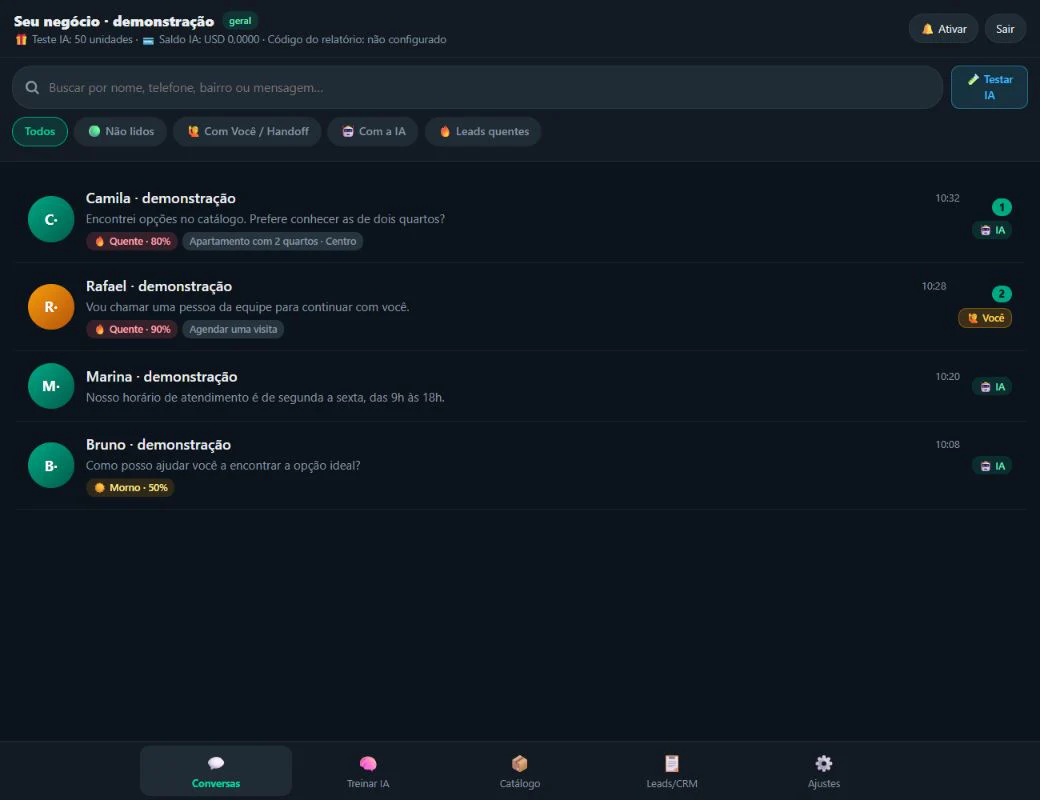
Follow the customer’s question, the AI’s reply and who is handling each conversation. Take over whenever you need to.
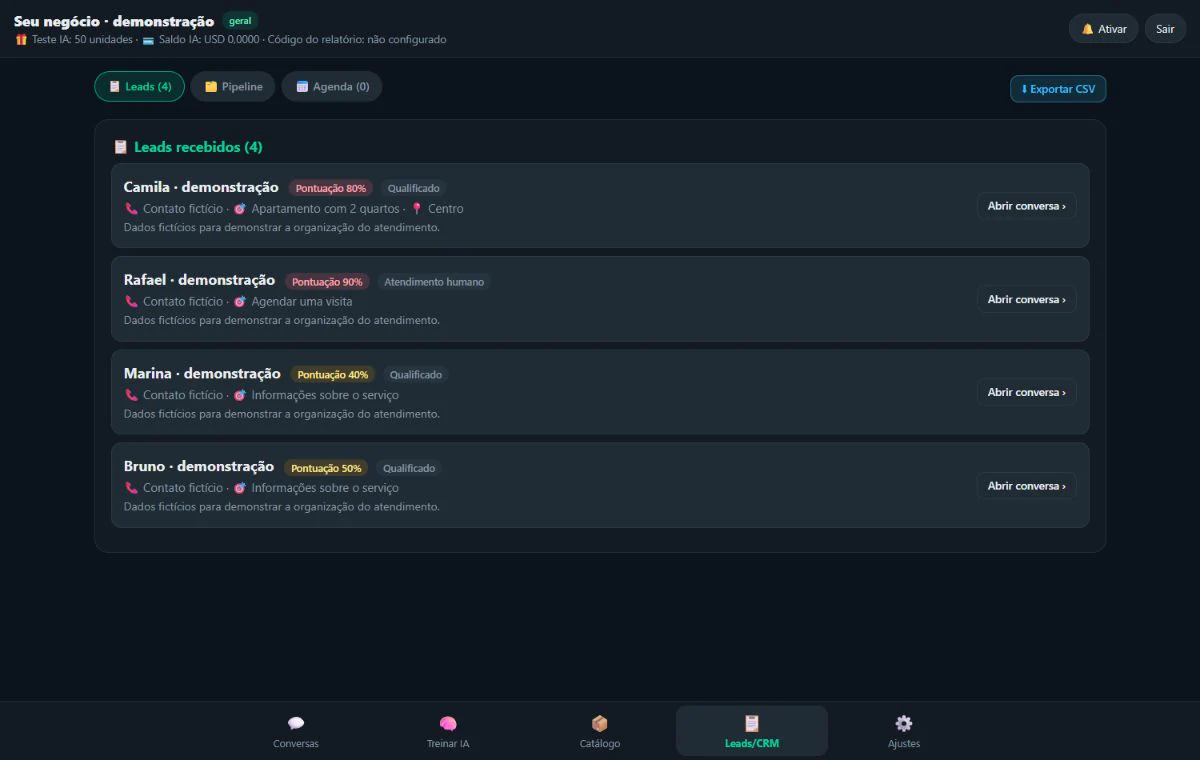
Understand the property, area and budget a customer is seeking before an agent takes over.
Present catalogue information, answer frequent questions and send negotiations to your team.
Share services and opening hours and organize contact requests. Clinical advice stays with the professional.
Explain course options and collect interest so the team can continue the enrolment process.
Create your account without a card and see whether the service suits your business. If you do not want to continue, you do not need to purchase a subscription.
No card to create an account. No automatic subscription charge.
R$ 99.90
for the first subscription year
Prices in Brazilian reais (BRL). Renewal pricing is shown before any charge.
The platform subscription and AI usage are separate. Additional credits and Meta messaging fees may apply. The trial does not include unlimited AI or messaging.
Not to create an account and try the platform. Creating an account does not authorize an automatic subscription charge.
Yes. Connecting WhatsApp requires authorizing your business and number in Meta’s official window. Number eligibility, permissions and integration approval may require additional steps. You can prepare and simulate service before connecting.
Your number must be eligible for the available connection method. A number already linked to another WhatsApp account may require migration or release. Do not delete your account before checking the assistant’s instructions.
The dashboard receives compatible texts and media. Audio may be transcribed when processing is available; displaying an image does not mean AI can interpret it. When a format cannot be understood, eligible automated service asks for the question as text.
It helps with the first response. Your team follows the history and takes over when needed. Alerts must be enabled and depend on the device and permissions.
You can use the dashboard CRM and integrate events with external tools through webhooks. Delivery to the destination CRM depends on its setup and capabilities.
Talk to our AI on WhatsApp without registering. Or create an account and prepare a service that reflects your business.